Kizoa is a great Web 2 tool to use in the classroom. The students can create slideshows, collage and edit graphics. This is a free tool to use. Once completed the students can save the collage for example to their hard drive (this is not part of the free membership, you need to pay a fee) or share it online through their blog (free). With the slideshows you can put in text, music, animation and other special effects, there are all sorts of possibilities to customize your slideshow! Be careful to only use the free tools and effects if you plan to share your creations.
Showing posts with label web 2. Show all posts
Showing posts with label web 2. Show all posts
Tuesday, January 29, 2013
Kizoa
Kizoa is a great Web 2 tool to use in the classroom. The students can create slideshows, collage and edit graphics. This is a free tool to use. Once completed the students can save the collage for example to their hard drive (this is not part of the free membership, you need to pay a fee) or share it online through their blog (free). With the slideshows you can put in text, music, animation and other special effects, there are all sorts of possibilities to customize your slideshow! Be careful to only use the free tools and effects if you plan to share your creations. 

Friday, January 25, 2013
Tagxedo

With this cloud you can have the words shaped (for example I have used an angel) and also you can save it as a jpg file onto your hard drive which is not possible with other word clouds. All of this is free. You can customise the colour, the theme and the shape to suit what you are doing. I know that children will love using this one.
Hardy Leung has done a presentation to show you how to use Tagxedo in 101 ways! Each way gives you an illustration to show an example. Very useful for classroom teachers for ideas to use in their classrooms.
Friday, October 26, 2012
Free tools to use in the classroom

There are many resources here which although are aimed at science can be used for other curriculum areas as well.
Saturday, September 15, 2012
19 Pencils

A parent volunteering in his child's class saw that a site like this would be very useful for teachers (after seeing teachers with URLs written on scraps of paper for example - how many times have I done that only to lose it).
The Team at 19 pencils says this about themselves:
We are not just parents who want to provide tools for teachers but
we're also seasoned Silicon Valley technology veterans with more than
15 years experience and we want to help you in the classroom.
We've built award-winning products with Fortune 500 companies. We believe that teachers and classrooms deserve more and we want to help.
We've built award-winning products with Fortune 500 companies. We believe that teachers and classrooms deserve more and we want to help.
On this site you can find educational resources, creat online
quizzes, and bookmark sites for students for your students. Teachers create student
accounts for access.
Tuesday, April 3, 2012
Dvolver Moviemaker
A fun little web 2 tool is Dvolver Moviemaker where the user creates a small movie in the matter of minutes.
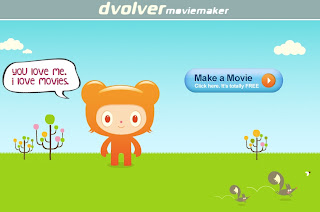
The user selects a background and a sky, then selecting characters, adding the conversation (comic book balloons), music and titles. You are then able to email the link to others.
This could be used to teach about direct speech with English grammar as well as many other ways.
I did make a movie and used the embed html to add to this web site and although it shows in the editing view it does not come up quickly in the published view so I deleted it.

The user selects a background and a sky, then selecting characters, adding the conversation (comic book balloons), music and titles. You are then able to email the link to others.
This could be used to teach about direct speech with English grammar as well as many other ways.
I did make a movie and used the embed html to add to this web site and although it shows in the editing view it does not come up quickly in the published view so I deleted it.
Saturday, March 24, 2012
Kidblog

Kidblog is safe:
- Teachers have administrative control over all student blogs and student accounts.
- Your students' blogs are private by default - viewable only by classmates and the teacher.
- For "semi-public" blogs, set up guest (e.g. parent) accounts that require a password to view students' posts/comments.
- Comment privacy settings block unsolicited comments from outside sources.
- Kidblog does not collect any personal information from teachers or students.
Saturday, March 3, 2012
50 sites
Davide Kapuler has recently uploaded version 3 of his collection of sites that are very useful to an educator.
Saturday, February 25, 2012
Blabberize

You need to register (free).
You upload your own picture to the web site and are then able to crop to use just part of the picture if you want to.
You then place the mouth area on the graphic - you can use as many of these as you want to i.e. you can have more than one person in the graphic.
You then record the sound and your video is made. These can be embedded into the class wiki, blog etc.
Students will love making these as part of a presentation about a research project for example if students are studying about another country they could use a picture of a person from that country and then have them speaking about the food that they like to eat or something similiar. Young children could do a news topic for others to look at.
Thursday, February 23, 2012
PresentationTube

You need to register (free) and download a recorder to your computer (Windows).
You are then able to use the recorder to record your PowerPoint presentation. It records your animations, transitions, as well as embedded video and audio. The presenter is also able to annotate their slides which will also be part of the recording. Once you have completed this you can then upload the file ready to share it with your students or other viewers.
This video can be embedded into your online class e.g. Blackboard or Moodle or into a blog or wiki. How great for the teacher to use this as a presentation after a class so that students can go to it to reinforce their learning or the teacher could use it as an introduction to a new topic.
Students could use this tool to present their findings about a research topic. This can be shared with a wider audience on a classroom blog.
Monday, February 13, 2012
Jig saw
Using Jigzone you can upload a graphic to the site and it will automatically make a jigsaw from it.
This would be great for a teacher to use and embed the graphic into a wiki or a blog to create interest. Students could use it to embed as part of a presentation.
You can nominate the number of pieces in your puzzle and the shape of the pieces in the puzzle.
Monday, October 31, 2011
Chrome web store

I have just been looking at what is available in the Chrome Web Store. There are some interesting applications or Web 2 tools that would be good for schools however...
I have been looking at the map showing earthquakes that have happened in the world during the last 7 days.
As you can see from the screen shot it tells us that there have been no earthquakes of a magnitude of 2.5 or above in my country in the last seven days. They say none at all!!!
This is completely incorrect as we have had 27 earthquakes in my city (or surrounding countryside) in the last seven days! Where am I? Christchurch New Zealand. The majority of these earthquakes are over 2.5 but of course that is not a big quake as far as we are concerned. Below you can see a screen dump of where some of these earthquakes happened, their magnitude and the depth.

What concerns me here is that if there is such a glaring error i.e. 27 earthquakes not registering on this site how accurate are any of the other offerings here?
If you are using any with your class I would suggest that you check it out carefully before the children use it.
Monday, September 5, 2011
Diipo

What is Diipo???
Education 2.0: Social networking for your class
Diipo connects the teacher with their students making it easy for the teacher to communicate with their class. Diipo also connects teachers with other teachers as well as their class with other classes. Diipo uses an easy-to-use and familiar user-interface which is similar to Facebook and Twitter. One of the aims of Diipo is to help students stay connected and engaged.
Teachers can connect with other teachers to share and exchange ideas as well as best practices on how to get the most out of Web 2.0 technologies. In addition teachers can share educational content with each other or brainstorm ideas for collaborative projects.
This is an ideal site to use with the students so that they can also learn to use a social networking site in a responsible way.
Monday, August 1, 2011
Automatoon

Automatoon is a great Web 2 tool to use in the classroom for free. There's no authoring software to install and you can share your animations online. You can also export your animations and embed them in your own websites (e.g. classroom blogs), all for free! These could also be used in other web 2 tools such as Glogster or 280 slides. What a great tool to use as a reading activity for example - certainly would give motivation for some readers. I used animation in my classroom as a reading activity where the children designed an activity (simple) that one of the characters from the story was likely to do. They could then make the animation for others in the group to guess who it is and what they are doing.
This video shows you how to use it.
Saturday, July 30, 2011
StencylWorks
Another great (free) programme to download for the classroom is StencylWorks. It is a drag-and-drop gameplay designer that builds off the successful MIT Scratch project (which I talked about in an earlier post). They have extended Scratch's block-snapping interface with new functionality and many ready-to-use blocks. Proficient users can create their own blocks to use and share with others.
Wednesday, July 27, 2011
280 slides
 280 Slides is a great Web 2, presentation tool. It is free and allows you to have your presentation available for you to use where ever you want it.
 At present it is a Beta version. Some of the features are:
- Import existing documents
- Presentations are stored on their server so it is available where ever there is an internet connection
- Built in media search which allows you to add photos, movies etc to your presentation from web sites such as Flickr and YouTube
- Quality themes
- Autosave and recovery
- Download your presentation to PowerPoint
- Publish to the web using SlideShare or embed it into your own web site
- Presentation runs in your web browser
This tool will be very useful in the classroom and is extremely easy to use.
Thursday, July 14, 2011
Web 2 book

Especially for schools: David Kapuler has made available a book giving the addresses and a screen shot of some of the Web2 tools that are useful for teachers to use in the classroom.
He is updating this book regularly so it is worthwhile keeping an eye on his blog for the update.
Saturday, July 9, 2011
TubeChop
 Many schools block YouTube but as a classroom teacher there are times when you want to use a video from YouTube. I have previously written about EmbedPlus for editing YouTube videos. Often you only want to use part of the video. TubeChop is a great tool for the classroom teacher to do this. It is a simple and quick tool to use.
 You type in the YouTube url. The video is then loaded into TubeChop. You can then cut out parts of the video so that you are left with the relevant parts you want to use. You then have the embedding code which you can use or you also have a new url that you can use (the url is no longer a YouTube link but now is a TubeChop link).
Here is an example of one I have chopped some off.
The new url is: http://www.tubechop.com/watch/182695
Tuesday, July 5, 2011
Quadblogging

Today I was in an online session with Terry Freedman. I have always admired the work Terry does - he is the editor of The Amazing Web 2.0 Projects Book.
Doug, who was also in the session mentioned quadblogging. I had never heard of it before but have now investigated it and what a wonderful global tool for schools to use.
Schools register and are then put into groups of four. One of the four teachers becomes the co-ordinator for the quad. In the first week all of the people in the quad will visit the blog of one of the schools in the quad and leave comments etc. In the second week another school will be the focus and so on. Children will see a boost in traffic on their blog as well as comments - this gives the children the impetus to have their post ready and online.
Here is a video to explain quadblogging.
Monday, July 4, 2011
Animation
I have used Microsoft gif animator and Image Ready to make my animations. One of the teachers I am working with at the moment wanted me to make some animations with his children (aged about 7 - 8). The machines they are using are Macs with iMovie. I know that we could use iMovie to make the animations but here is a quick and easy (and free..) alternative.
 It is called Make animation. It is extremely simple for children to use:
 It is called Make animation. It is extremely simple for children to use:
- Upload your pictures or photos to make the animation - these can be any type eg jpg, tiff, png
- Double click on uploaded picture to add text and draw on it.
- Drag 'n drop left icon with top and down arrows to change the animation order
- Set size and speed as well as other options and effects
- Make the animation by clicking on "make animation"
- Your animation will be displayed and you can download it
Monday, June 20, 2011
ZooBurst
A great Web 2 tool for teachers to use with their students is ZooBurst. This tool allows the students to create their own 3D pop-up books. When students start building their own books they can choose any angle and also rotate the book. They can make objects on the page clickable so that readers are able to read more about them. They can place speech bubbles on the characters that pop up when it is clicked and make them talk with each other. Children can retell a story or write their own stories.
A basic account is free. A free account entitles the individual user to make 10 books, upload your own characters (PNG or JPG files), use characters from the clip art gallery, arrange characters in 3D space, use character speech bubbles, customise backgrounds and have privacy options (e.g. private, public or password protected books).
Subscribe to:
Posts (Atom)
 Web site: http://ictineducation.webege.com/