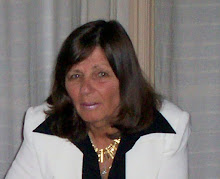
Steve Wheeler
gave a keynote presentation at the ICL conference in Villach, Austria on 28 September, 2012. This is the slideshow that accompanied his presentation. In this presentation he is looking at the future of education and how ICT is a part of that.
Friday, September 28, 2012


Saturday, September 22, 2012
Uproar

At this point the Minister is still saying that they are 'consulting with the community'. It will be interesting to see if they backtrack on any of the closures or mergers or if this is just an exercise in lip service.
Monday, September 17, 2012
Major changes for Christchurch schools
Two years ago Christchurch started being rocked by earthquakes. Since that time we have had over a thousand of them, several doing a lot of damage and one where there was a signficant loss of life. Most of the problems have occurred on the East side of the city. Life is still far from normal for the people who live in these areas. Many are not able to live in their homes and for many it is not known when their lives will return to normal. A lot of people have left as many homes are on land that has been deemed too difficult to use to build on for a long time. At the end of last year many of the schools in these areas found that their staffing for this year was down from the previous year due to the loss of population in the area. It must be remembered that many of these children were very traumatised due to the earthquakes. This year many schools kept their staffing levels up by directly paying a teacher from their school funds.
 Last Thursday the Minister of Education announced new plans for education in Christchurch. There was shock and disbelief throughout Christchurch schools over the plans. 13 schools are due to be closed, 18 schools to merge with other schools or relocate and 5 schools will close and merge as one.
The 5 schools that are to merge as one Learning Centre include 3 primary schools, 1 intermediate and 1 secondary school. This will be over 1300 pupils in the 5 to 13 year range and then several hundred in the 13 to 18 year range!! This is what they are looking at in the long term. All schools will be part of Learning Clusters.
As you can imagine many schools, parents and children are very upset with the announcement. At this time there is supposed to be ongoing discussion but it will be interesting to see if there are any changes to the proposals!!
I wonder what people think our schools will be like in 10 or 20 years.
Watch this space...

The 5 schools that are to merge as one Learning Centre include 3 primary schools, 1 intermediate and 1 secondary school. This will be over 1300 pupils in the 5 to 13 year range and then several hundred in the 13 to 18 year range!! This is what they are looking at in the long term. All schools will be part of Learning Clusters.
As you can imagine many schools, parents and children are very upset with the announcement. At this time there is supposed to be ongoing discussion but it will be interesting to see if there are any changes to the proposals!!
I wonder what people think our schools will be like in 10 or 20 years.
Watch this space...
Saturday, September 15, 2012
19 Pencils

A parent volunteering in his child's class saw that a site like this would be very useful for teachers (after seeing teachers with URLs written on scraps of paper for example - how many times have I done that only to lose it).
The Team at 19 pencils says this about themselves:
We are not just parents who want to provide tools for teachers but
we're also seasoned Silicon Valley technology veterans with more than
15 years experience and we want to help you in the classroom.
We've built award-winning products with Fortune 500 companies. We believe that teachers and classrooms deserve more and we want to help.
We've built award-winning products with Fortune 500 companies. We believe that teachers and classrooms deserve more and we want to help.
On this site you can find educational resources, creat online
quizzes, and bookmark sites for students for your students. Teachers create student
accounts for access.
Monday, August 13, 2012
Power My Learning

The Power My Learning web site details (below) what a free account gives you access to.
A free account grants access to a world of smart and engaging resources…
• 1,000+ thoroughly vetted academic games, interactive simulations, and videos
• Easy-to-find activities tagged by subject, grade, and Common Core Standards
• “Playlist” feature to sequence activities and individualize learning by student or class
• Lesson plans to incorporate activities into instruction
• Detailed reports for teachers, parents, and students
• Badges and Playpoints to reward student usage
• Flexible platform that can be used in school, after-school, at home, or anywhere in between There are many 'How to' guides available in the Educators section including such things as creating a class, assigning a playlist (check them out).
Before being able to use the site, children must
register; and if they are under 13, they must provide an email from their
parent or guardian. A parent can also sign up; then the
site is able to provide usage reports so parents can see what kind of things
their children are exploring.
Children earn points by
exploring the learning games, simulations and videos. They can also
say how good something is by voting on the material that they
just played. If they like an activity, the site offers up
suggestions for others activities that are similar.
A great site to use in the classroom
Thursday, August 9, 2012
Spreadsheets
Just after I said about spreadsheets being used to track Olympic medals I find that Google has been updating Google Doc spreadsheets.

It has added ‘protected ranges’ to the documents, allowing designated sections of spreadsheets to be locked down to prevent other users editing the content held there.
This is actually a very useful and necessary feature for Docs users, as it can be a real pain going back over things when small edits or erroneous changes are made and need fixing.
From: The Next Web
You can also find A Step Guide to Protected Ranges in Google Spreadsheets which is a slide show which clearly shows you what to do.

It has added ‘protected ranges’ to the documents, allowing designated sections of spreadsheets to be locked down to prevent other users editing the content held there.
This is actually a very useful and necessary feature for Docs users, as it can be a real pain going back over things when small edits or erroneous changes are made and need fixing.
From: The Next Web
You can also find A Step Guide to Protected Ranges in Google Spreadsheets which is a slide show which clearly shows you what to do.
Saturday, August 4, 2012
Olympic games
We are so pleased with the way our team has performed in London. From a small country we are doing very well - 3 golds.
This is where the Internet comes into its own in the classroom - instant news, videos, graphics all there ready for the children to find and report about. The news links are outstanding and having the videos as well for the class to see is just so wonderful.
Children can also use a spreadsheet (dare I say it) to keep a medal tally and then make graphs to depict the data.
This is where the Internet comes into its own in the classroom - instant news, videos, graphics all there ready for the children to find and report about. The news links are outstanding and having the videos as well for the class to see is just so wonderful.
Children can also use a spreadsheet (dare I say it) to keep a medal tally and then make graphs to depict the data.
Wednesday, August 1, 2012
3 D printers
I find these fascinating; it is like the TV shows (animated) about the future.
I wonder how long before some of these become more available and what we will be able to do with them.
I wonder how long before some of these become more available and what we will be able to do with them.
Saturday, July 14, 2012
181 Google tricks

181 Google tricks to save you time in school is an article that has been written by some staff writers on the Online Colleges web site. These are quick and simple to go through and there are probably ones there that you were unaware of - have a look and see...
Saturday, June 16, 2012
Learning in a digital age: Myth and reality
Steve Wheeler has just uploaded a slideshow he used in a keynote speech to the eLearning 2.0 Conference, held at Brunel
University, London on 8 June 2012. Some of the slides have been annotated for
additional clarity and explanation.
Some interesting ideas to enable teachers to reflect on their own philosophies and practice.
Some interesting ideas to enable teachers to reflect on their own philosophies and practice.
Subscribe to:
Posts (Atom)
 Web site: http://ictineducation.webege.com/